TravelGo is an online service that brings together tours from the tour operators we work with, so you can search, compare and book them online in one place.
A single search shows tours with different hotels, flights and extra services.
Now everything can be done online, and here we will explain how to do it conveniently, quickly, and profitably!
1. Search for a Tour
On the main page of the website and mobile app, use the tour search form by specifying the following parameters:
- Departure City: Where you plan to start your journey.
- Destination: Enter the country or resort (e.g., Egypt, Hurghada).
- When: Specify when you want to depart.
- Duration: Indicate the number of vacation days.
- Number of Travelers: Enter the number of adults and children, specifying their ages.
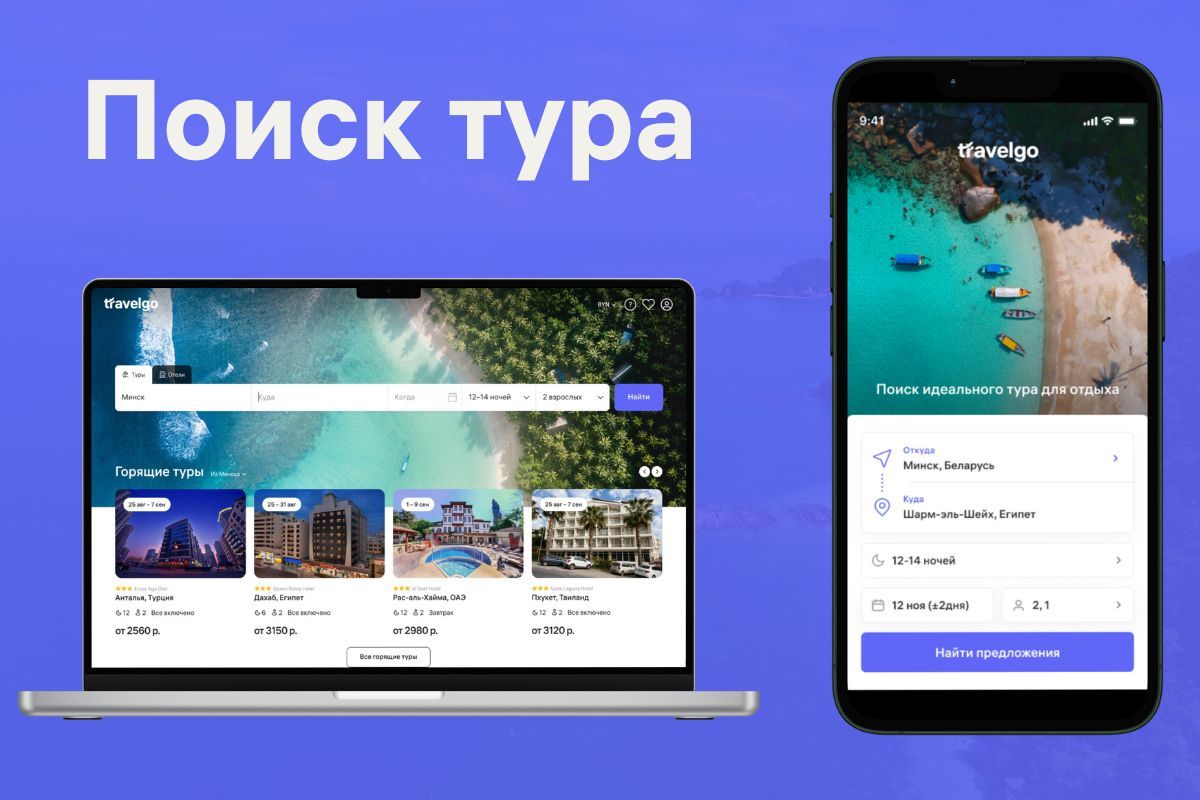
The system will start searching across all tour operators and show you available tours.
2. Filter Search Results
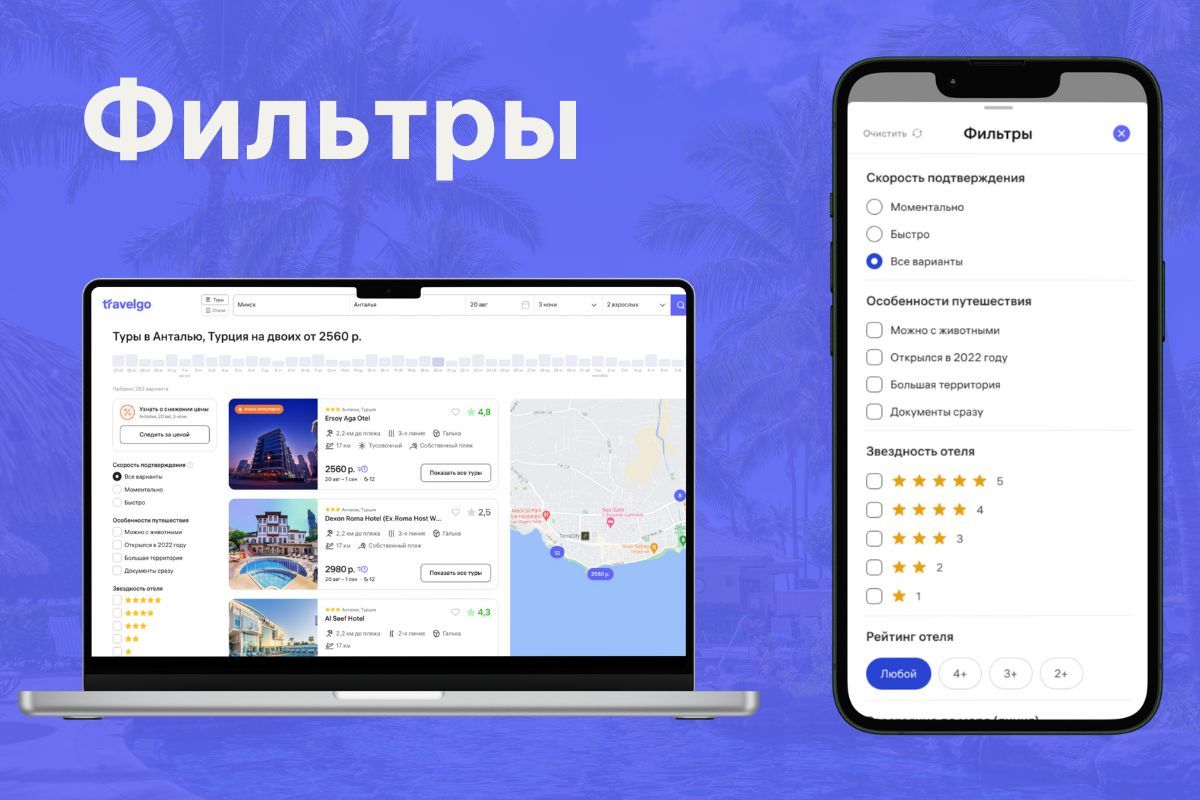
After loading, you will see a list of offers. Use the active filters and view hotel information on the interactive map:
- Price filtering
- Hotel category (3, 4, or 5 stars).
- Meal plan (all-inclusive, half-board, etc.).
- Beachfront line
- Hotel amenities
- Regions and resorts
- Hotel rating
- Other filters for comfortable selection
3. Choose a Suitable Hotel
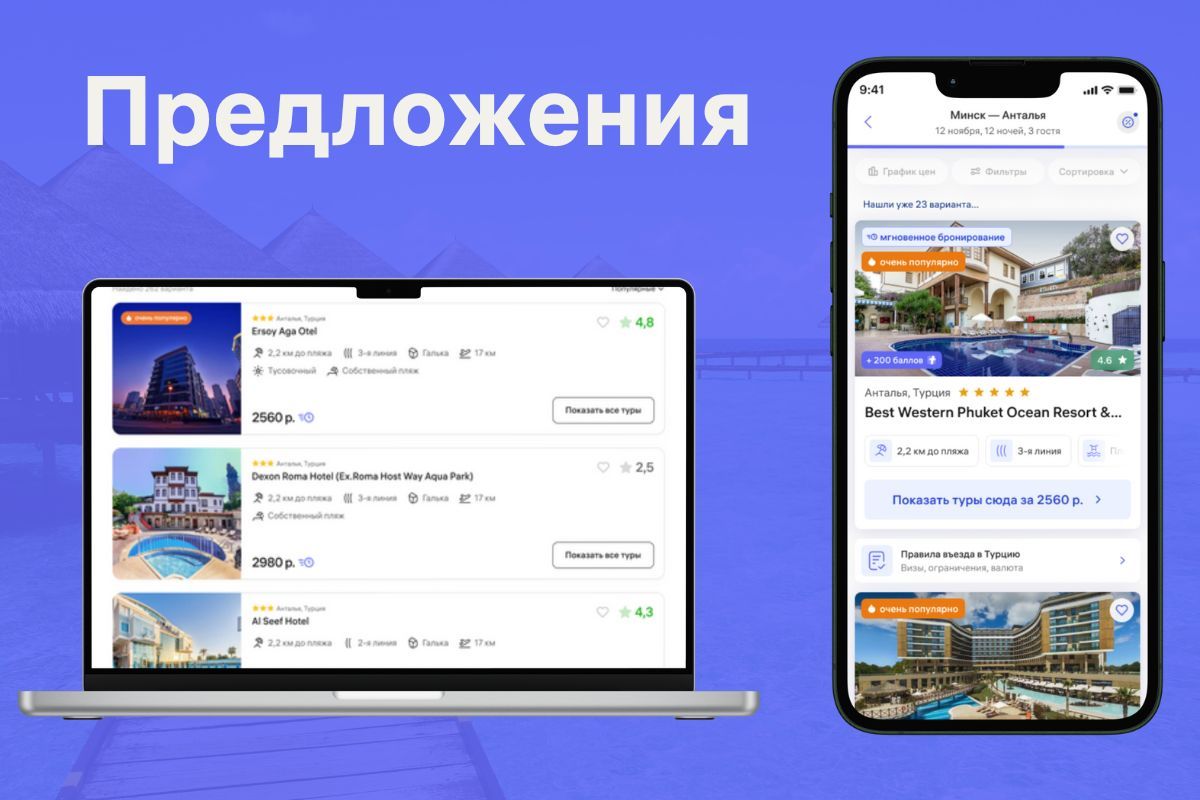
Now all market offers are available to you, and all that's left is to choose the best one!
4. Review the Hotel and Choose a Room
The hotel page provides photos, descriptions, reviews, services, and location.
We display the minimum current prices for the nearest dates and durations. Sometimes, a 10-day tour can be cheaper than a 7-day one. Plan your vacation profitably!
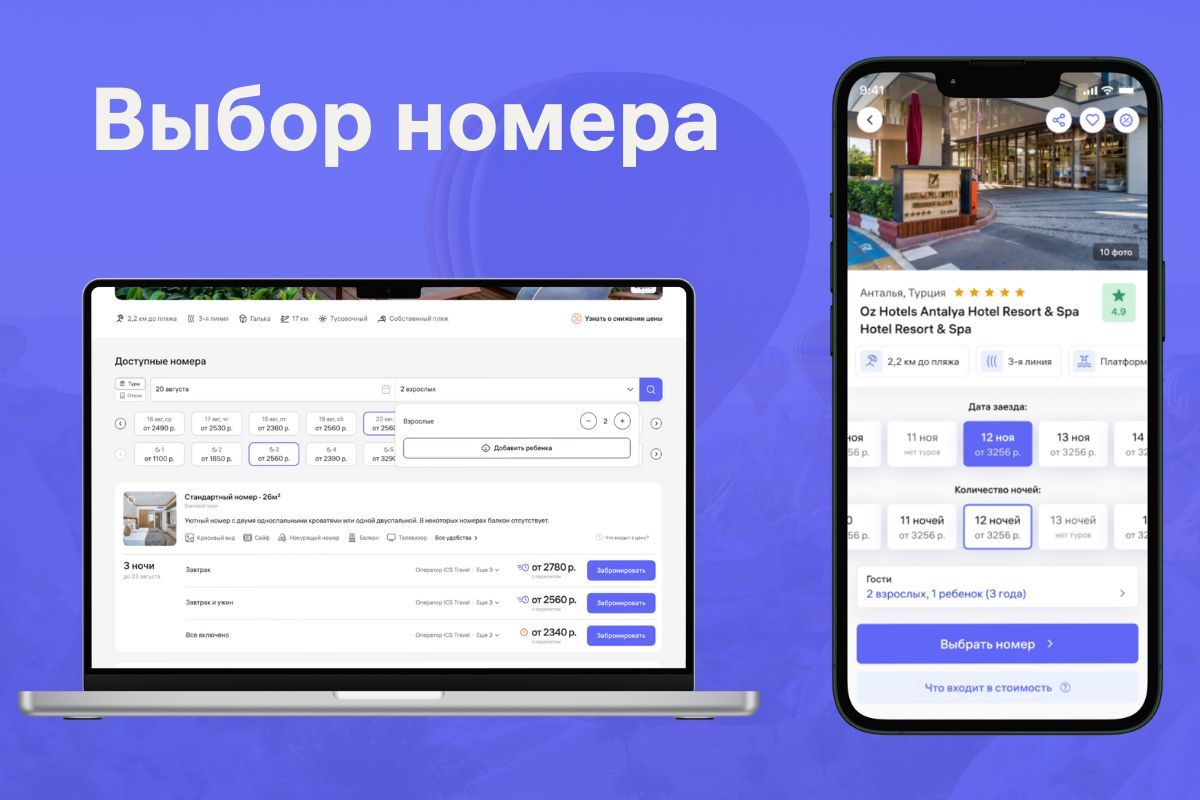
Choose a suitable room and click "Book"
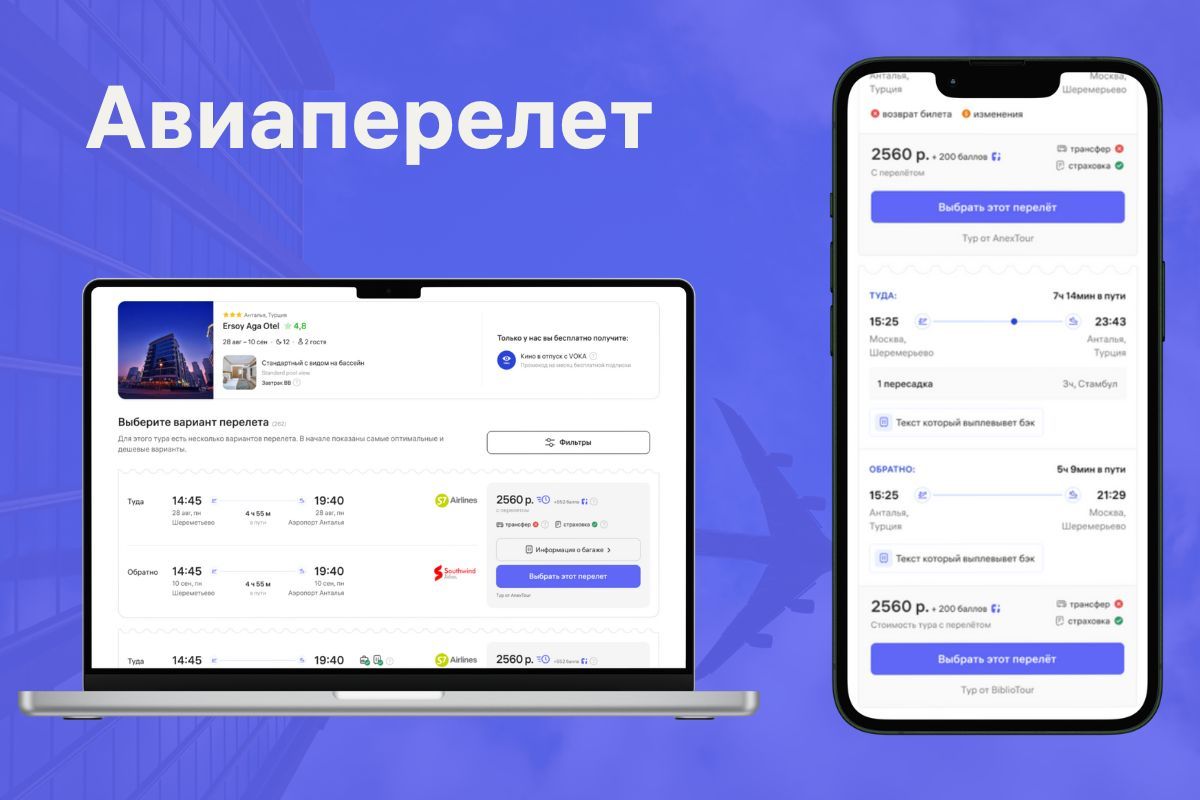
5. Choose a Convenient Flight
For your chosen tour, there is always one or several flight options available. Initially, you see the most optimal and cheapest options.
Here you can view baggage allowance, departure and arrival times, and airports.
Sometimes on the flight selection page, the departure and/or arrival time may be displayed incorrectly (e.g., 00:00, 23:59, etc.). This is because charter flights, unlike scheduled ones, do not have a precise timetable. Therefore, the exact time will be known closer to the departure date, and you will be notified in advance (from 3 days) via the specified email and messengers.
6. Enter Traveler Details
Enter the current passport details of all guests.
Be sure to enter the data correctly, as tour operators may charge a fee of up to 50 euros for changes.
7. Select Additional Services
At this stage, the system may offer available additional services. Select the necessary ones or skip.
- Extended insurance
- Private transfer
- Excursions
8. Payment and Booking
- Choose a payment method: Visa, Mastercard, MIR or Belkart bank card, ERIP, QR code via Oplati, bank transfer, or at our office. After booking you have 3 hours to pay.
- When paying by card, you enter the details on the secure bePaid page and confirm the payment with 3-D Secure.
- You can pay part of the cost with bonuses.
9. Receiving Confirmation
- After payment, you will receive a confirmation by email, and the order status is shown in your personal account.
- Check the details: departure dates, hotel, travellers' passport details and extra services.